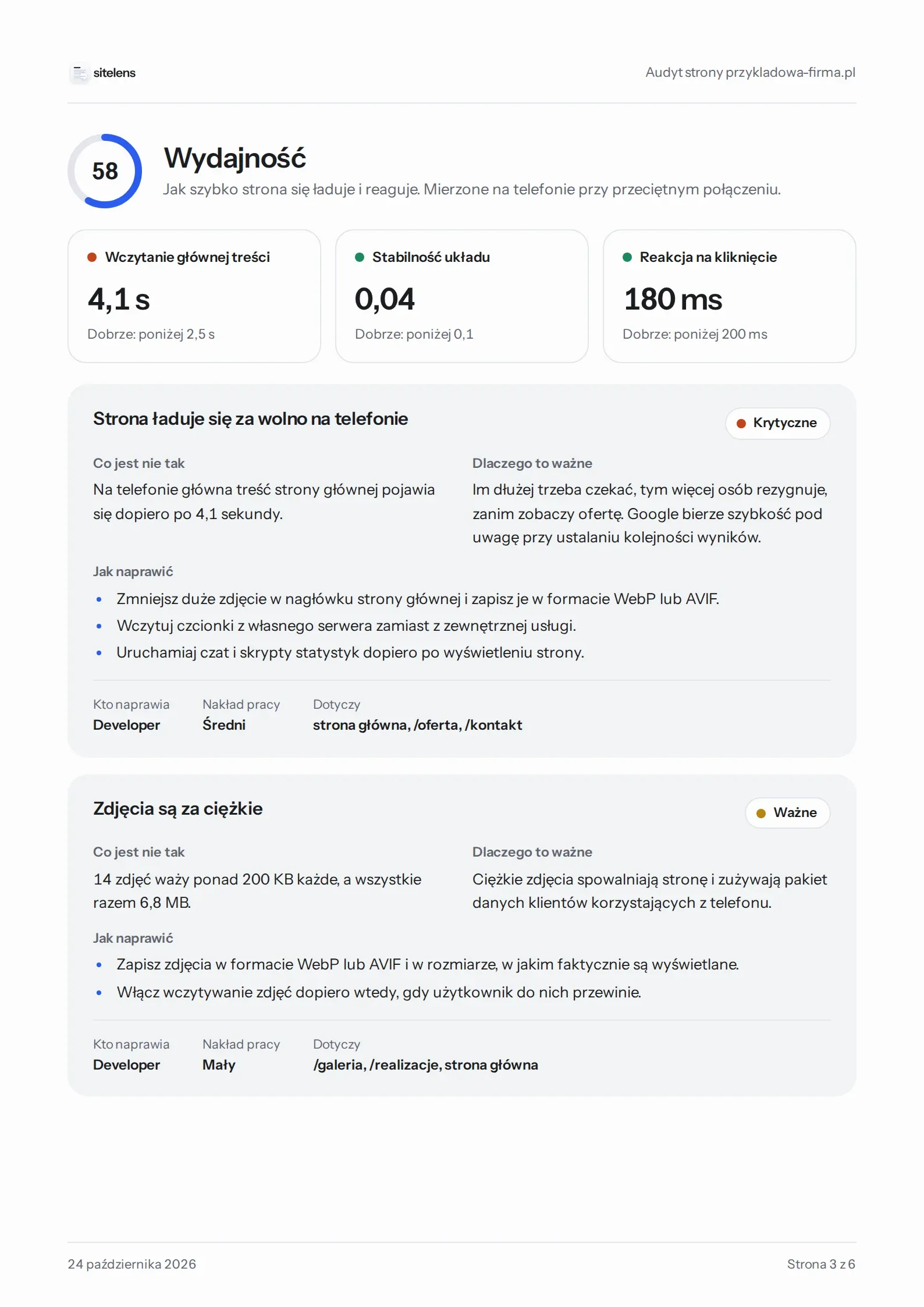
Performance
How fast the page appears on a phone and whether anything jumps around.
Main content loaded
4.1 s
0 s2.5 s4 s5 s
Good: under 2.5 s
- Time until the main content loads
- Layout shifts and response to taps
- Image size and format
sitelens checks performance, SEO, accessibility and security, then tells you in plain language what to fix and why.
npx sitelens https://
Checking 12 pages
Report saved: report.pdf
sitelensnow
Audit finished
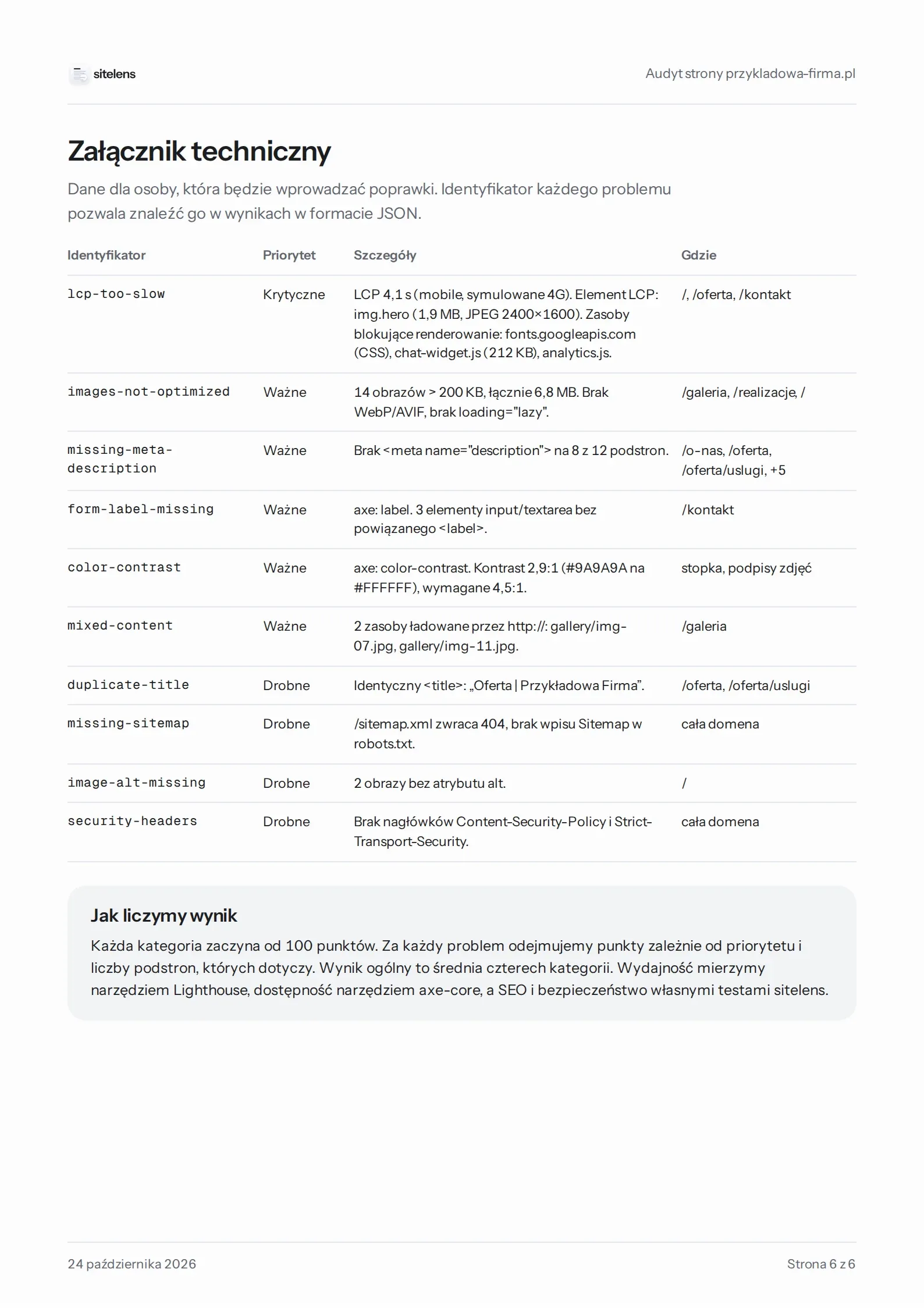
Overall score 71/100. Report saved to disk.
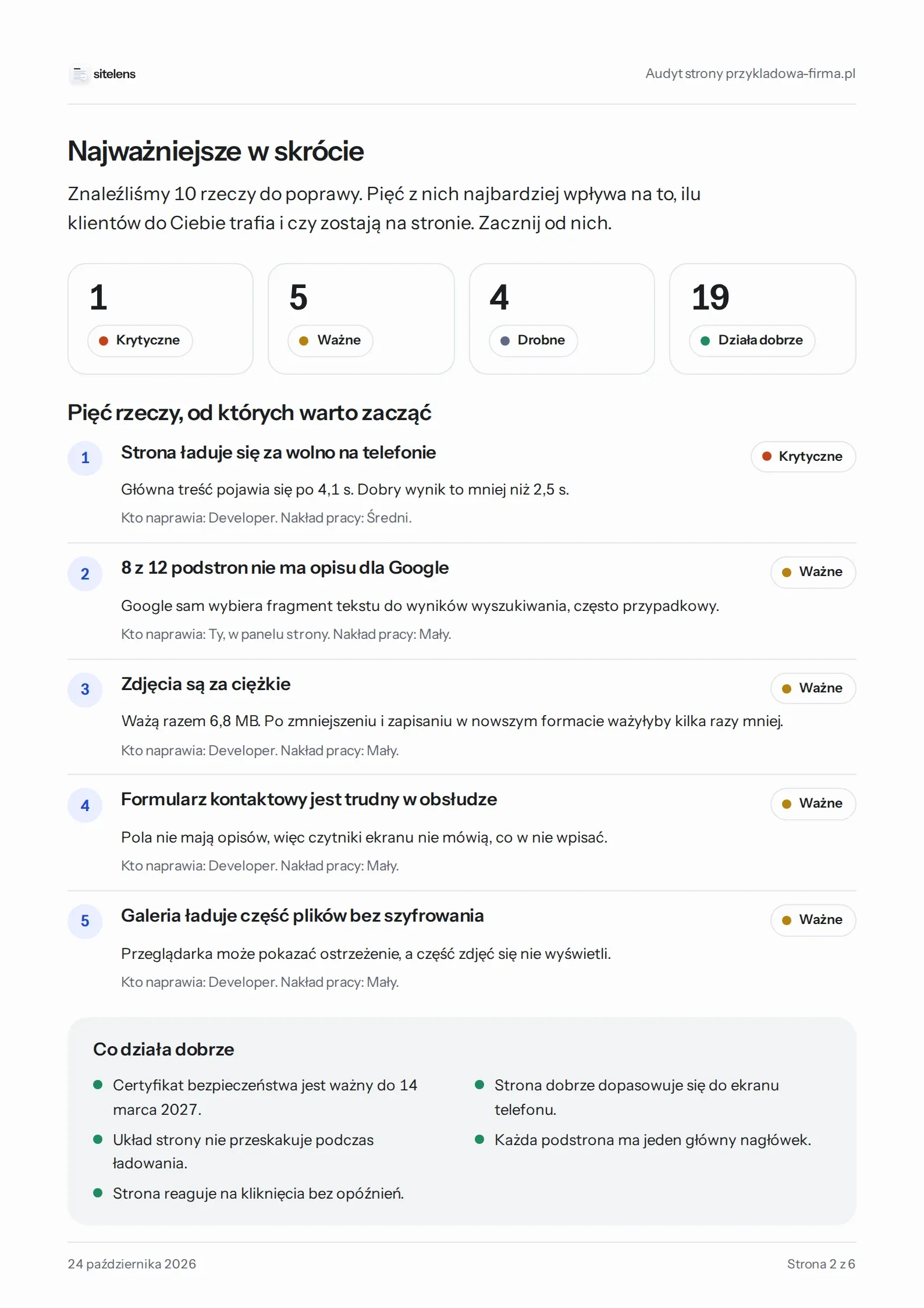
Four areas that decide whether customers find your site, wait for it to load and can use it without trouble. Every result comes from a specific test.
How fast the page appears on a phone and whether anything jumps around.
Main content loaded
4.1 s
Good: under 2.5 s
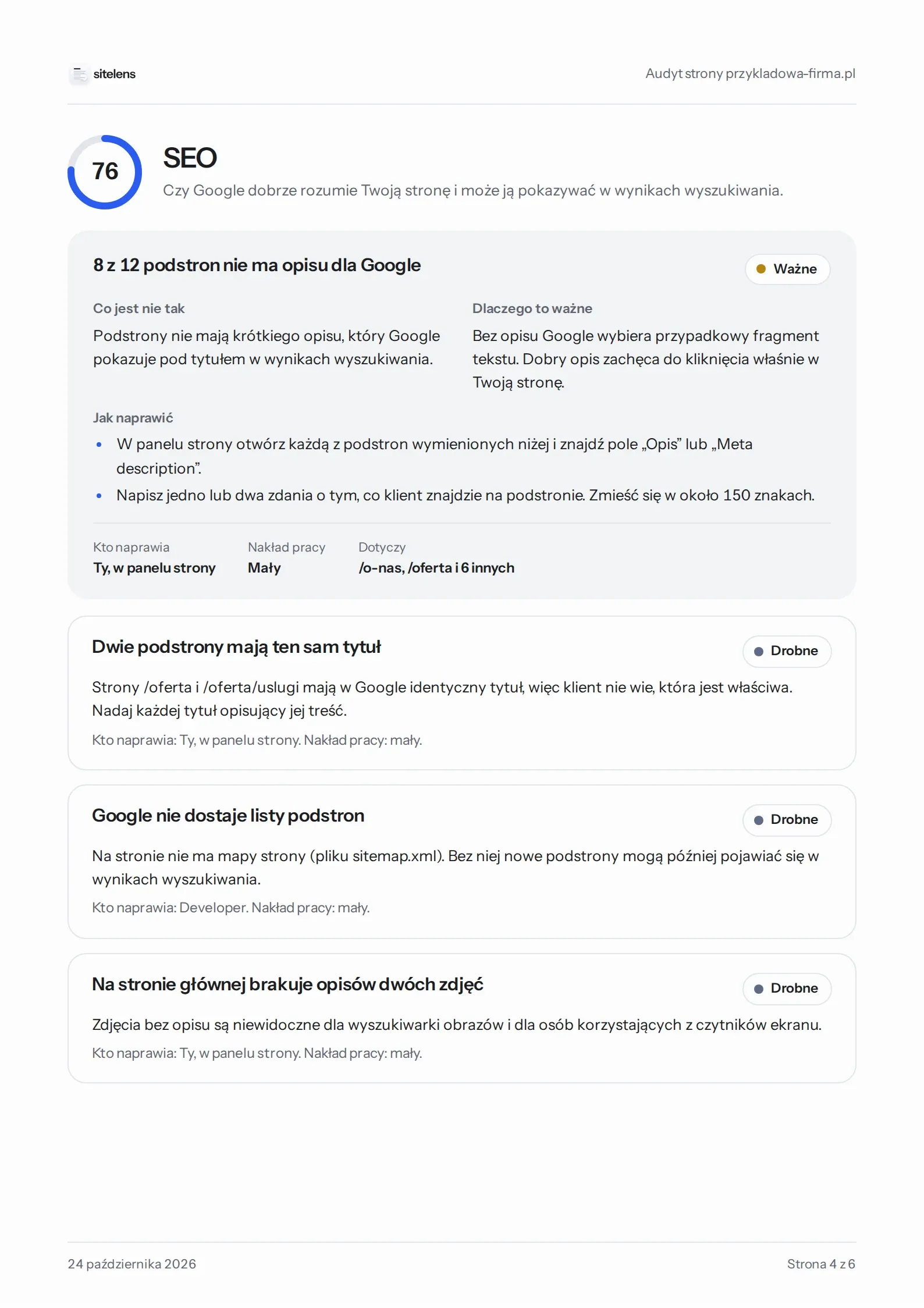
Whether Google understands the site and can show it in search results.
przykladowa-firma.pl › offer
Offer | Sample Company
No description – Google will show a random piece of text
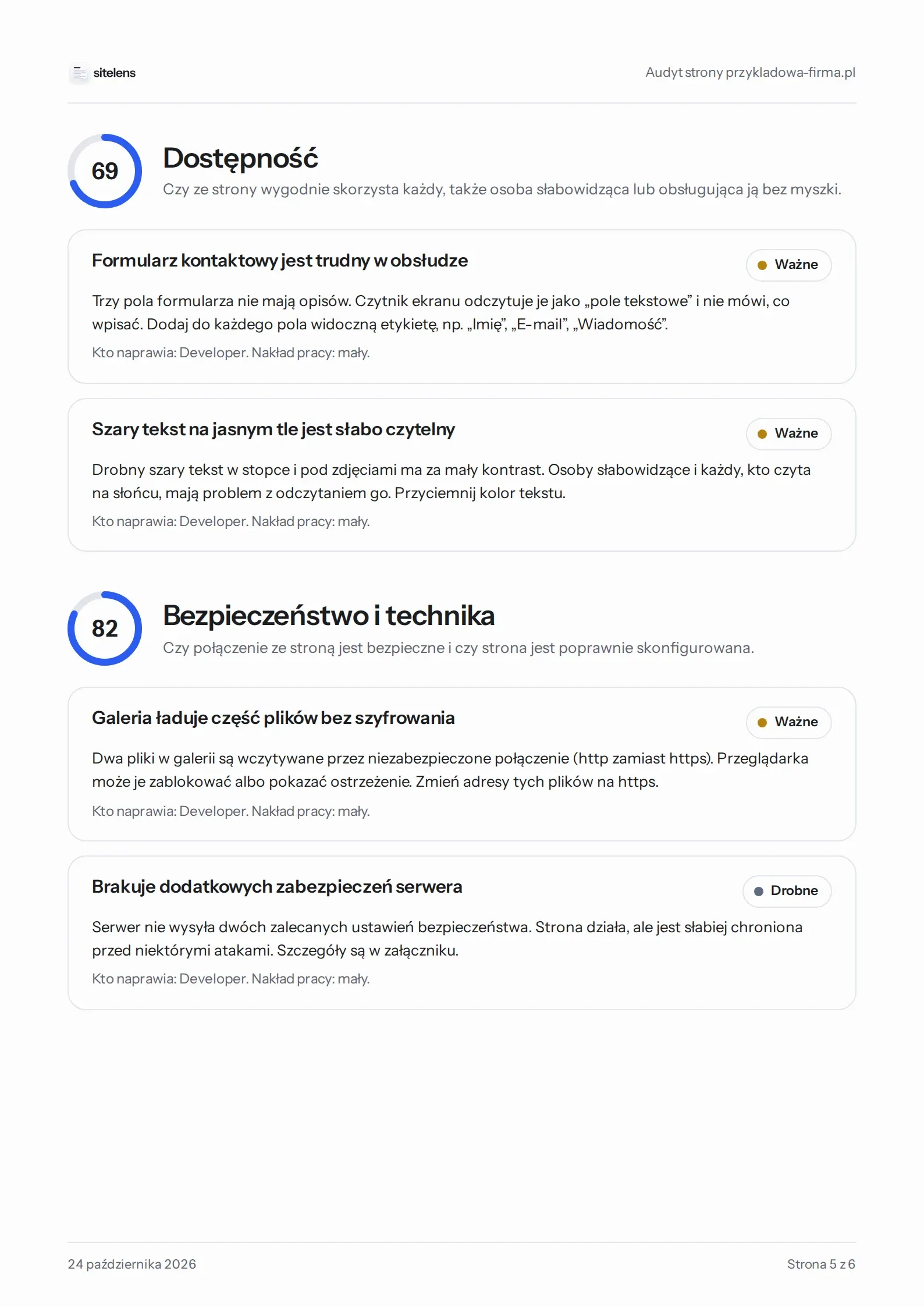
Whether everyone can use it, including without a mouse or with a screen reader.
Screen reader: “edit text”
Screen reader: “Email, edit text”
Whether the connection is encrypted and the server protects visitors.
HTTPS and certificatevalid until 14 Mar 2027
Strict-Transport-Securitypresent
Content-Security-Policymissing
Files over http://2
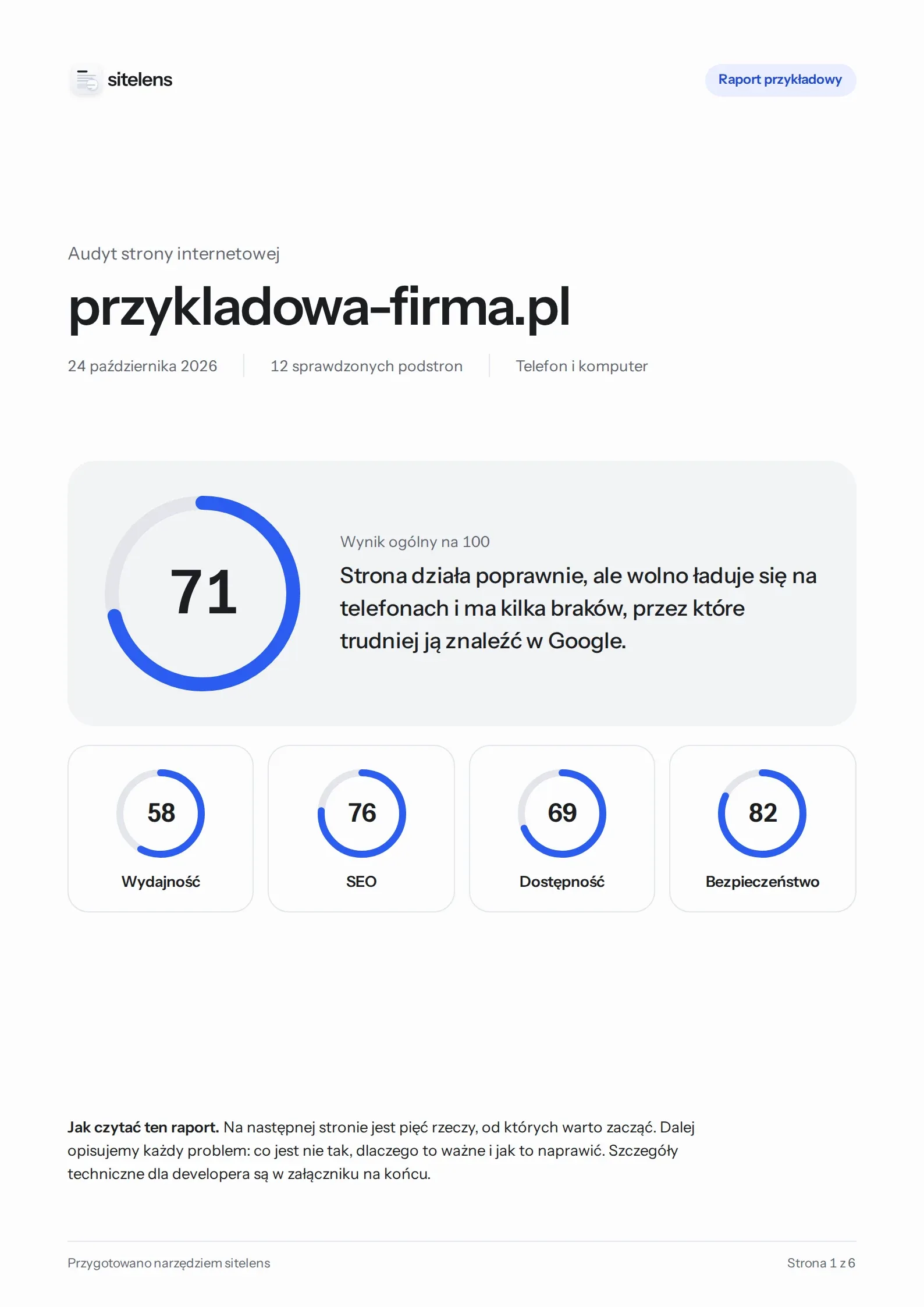
Six A4 pages. First what to start with, then every problem in turn, and technical details for your developer at the end.
We describe every problem so the site owner knows what to do and the developer knows where to look.
Largest Contentful Paint exceeds threshold (4.1 s)
The page loads too slowly on phones. The main content appears after 4.1 s, and a good result is under 2.5 s.
Metric names and technical details are in the report appendix.
In your browser with nothing to install, or with one command in the terminal.
npx sitelensAdd the audit to every deployment. The --fail-under option stops the build when the score drops below your threshold, and the report is saved as an artifact.
name: sitelens
on:
  push:
    branches: [main]
  pull_request:
jobs:
  audit:
    runs-on: ubuntu-latest
    steps:
      - uses: actions/setup-node@v7
        with:
          node-version: 24
      - run: npx --yes sitelens https://yourwebsite.com --lang en --fail-under 80 --out report.pdf
      - uses: actions/upload-artifact@v7
        if: always()
        with:
          name: sitelens-report
path: report.pdfSee how every score is calculated, suggest an idea or add your own check. Each one has an advice card written in plain language.
cards/seo/meta-description.yamlid: seo/meta-description
priority: important
whoFixes: owner
effort: small
en:
title: "{count} of {total} pages have no description for Google"
whatIsWrong: >
The pages have no short description, which Google
shows under the title in search results.
whyItMatters: >
Without one, Google picks a random piece of text.
howToFix:
- Open the page in your CMS and find the “Description” field.
- Write one or two sentences, up to about 150 characters.Yes. Both the online version and the terminal tool are free, and the code is open source under the MIT license.
No. Under heavy traffic the online version may ask for your own free Google PageSpeed Insights key. AI features are optional and only run on your own Anthropic key, which stays in your browser.
The terminal tool runs entirely on your computer. In the online version the address goes to Google PageSpeed Insights, and the public page content passes through our server only for the audit and is not stored. Results and the report are created in your browser. Details are in the privacy policy.
No. sitelens only fetches public pages, like any visitor. It does not submit forms and does not store anything on the server.
Lighthouse measures one page and describes the results in developer language. sitelens uses Lighthouse and axe-core, adds its own checks (such as security headers, the sitemap and redirects), checks several pages at once and turns every problem into concrete steps in a PDF report.
macOS, Windows and Linux. One command installs everything sitelens needs, and with Node.js 22.19 or newer npx sitelens is enough. See the step-by-step guide.